
Best Gaming Laptop Brands Ranked: Reliability, Thermals & Value
 By lucaspham
•
•
By lucaspham
•
•
Quick Navigation / Table of Contents
Best Gaming Laptop Brands Ranked: Reliability, Thermals & Value
Choosing the best gaming laptop brand isn’t about finding a single, universally superior option; it’s about aligning a brand’s core strengths with your specific priorities and budget. In our extensive testing and analysis at laptop-gaming.net, we’ve consistently found that while brands like **ASUS ROG**, **MSI**, and **Lenovo Legion** frequently lead the pack in various critical aspects, the “best” ultimately hinges on individual needs. Are you chasing raw, uncompromised performance, prioritizing thermal efficiency for sustained gaming, or seeking the best possible value? Perhaps reliability and top-tier customer support are your non-negotiables. My experience has shown that each major brand brings a unique philosophy to the table, impacting everything from build quality and cooling solutions to design aesthetics and after-sales service. This comprehensive guide will dissect the leading contenders, giving you the insights you need to make an informed decision that truly enhances your gaming journey.
Introduction: Decoding the Best Gaming Laptop Brands
When you’re investing in a gaming laptop, the brand behind the machine is far more than just a logo; it’s a promise of a certain level of engineering, design philosophy, and ongoing support. My journey through countless gaming laptop reviews and hands-on tests has taught me that the brand choice significantly impacts your entire gaming experience, from the moment you unbox it to years down the line. It influences everything from the laptop’s raw power and how well it maintains that power under load, to its physical durability and how easily you can get help if something goes wrong.
In this guide, we’re not just listing brands; we’re diving deep into what makes each one tick. We’ll explore their unique strengths and weaknesses across key evaluation criteria: reliability, thermal performance, value, innovation, design, and customer support. Our goal is to set clear expectations, providing you with a comprehensive brand comparison that moves beyond superficial specifications to reveal the true character of each manufacturer.
What Defines a Top Gaming Laptop Brand?
From my perspective, a top gaming laptop brand excels in several critical areas, not just one. It’s about a holistic approach to the gaming experience. Firstly, **performance** is paramount – can it deliver the frames per second you expect from its hardware? Secondly, **reliability** ensures your investment lasts, encompassing robust build quality and durable components. Thirdly, **thermal management** is the unsung hero, dictating how long and how well that performance can be sustained without throttling.
Beyond these core pillars, **value** isn’t just about the lowest price but the overall package you get for your money. **Innovation** keeps a brand relevant, introducing new technologies and designs. **Design and aesthetics** play a role in personal preference, and finally, **customer support and warranty** provide peace of mind. A brand that consistently hits high marks across these categories is, in my book, a true leader.
Our Ranking Methodology: What We Prioritize
Our ranking methodology is built on years of hands-on experience and rigorous testing in our lab. We prioritize real-world performance, not just theoretical benchmarks. When we evaluate gaming laptops, we look at several key factors:
- Sustained Performance: How well does the laptop maintain its CPU and GPU power over extended gaming sessions? This is where excellent thermal management becomes critical.
- Build Quality & Materials: We assess the chassis’s durability, hinge stability, and the quality of materials used. A premium gaming laptop should feel solid and well-constructed.
- Display Quality: Beyond refresh rates, we scrutinize color accuracy, brightness, contrast, and response times.
- Thermal Efficiency & Acoustics: We measure CPU/GPU temperatures and fan noise under various loads. A laptop that runs cool and relatively quiet scores higher.
- Value Proposition: We consider the price-to-performance ratio, included features, software experience, and upgradeability.
- User Experience: This includes keyboard comfort, touchpad responsiveness, port selection, and overall software optimization.
- Customer Support Reputation: While not directly tested in our lab, we integrate widely reported customer service experiences and warranty policies into our overall assessment.
This comprehensive approach allows us to provide a nuanced understanding of each brand’s strengths and weaknesses, helping you identify the perfect match for your gaming needs.
Understanding Key Metrics for Gaming Laptops
Before we dive into individual brands, it’s crucial to understand the metrics that truly differentiate a good gaming laptop from a great one. My team and I spend countless hours in our lab, pushing these machines to their limits, and these are the factors that consistently emerge as paramount.
Reliability & Build Quality Explained
Reliability, in my experience, is the bedrock of a long-lasting gaming laptop. It encompasses two main aspects: **build quality** and **component longevity**. Build quality refers to the physical construction – the chassis materials, the sturdiness of the hinges, the feel of the keyboard and trackpad. Premium brands often use aluminum or magnesium alloys, which not only feel more robust but also aid in heat dissipation. A flimsy chassis can lead to creaks, flex, and eventually, component damage.
Component longevity, on the other hand, relates to how long the internal parts (CPU, GPU, RAM, SSD, battery, display) can perform optimally without failure. While all manufacturers use similar core components from Intel, AMD, and NVIDIA, the overall system integration, thermal design, and power delivery can significantly impact how long these components perform at their peak. Common failure points often include fans (due to dust accumulation or bearing wear), batteries (degradation over time), and sometimes displays (dead pixels or backlight issues). A brand’s commitment to quality control and robust engineering directly translates to a more reliable machine.
Expert Insight: The Hidden Cost of Poor Build Quality
In our lab, we’ve seen firsthand how a seemingly minor flex in the chassis can lead to stress on the motherboard over time, or how inadequate hinge design can cause display issues. Investing in a brand known for solid build quality isn’t just about aesthetics; it’s about protecting your performance investment.
The Importance of Thermal Management
If reliability is the bedrock, then thermal management is the lifeblood of a gaming laptop. It’s the critical factor that dictates whether your powerful CPU and GPU can actually sustain their peak performance or if they’ll “throttle” down to prevent overheating. My tests consistently show that a laptop with superior cooling can outperform one with identical specs but inferior thermals.
Modern gaming laptops employ various cooling solutions:
- Vapor Chambers: These are highly efficient heat spreaders, often found in high-end models, which rapidly transfer heat away from the CPU and GPU.
- Heat Pipes: More traditional, these copper tubes filled with a liquid-vapor mixture move heat to fin stacks.
- Multiple Fans: Dedicated fans for the CPU and GPU, often with specialized blade designs to maximize airflow.
- Liquid Metal Thermal Interface Material (TIM): Some premium laptops use liquid metal instead of traditional thermal paste for significantly better heat conductivity.
Effective cooling prevents ****, where the CPU or GPU automatically reduces its clock speed to lower temperatures. This directly translates to lower FPS and inconsistent gaming experiences. We closely monitor CPU and GPU temperatures under sustained load, as well as fan noise levels, because a powerful laptop that sounds like a jet engine isn’t ideal for long gaming sessions.
Hardware Verified Fact: and CPU Power Limits are Key
The NVIDIA GeForce RTX 40-Series GPUs exhibit significant performance scaling with higher (Total Graphics Power) wattages. For instance, an RTX 4090 operating at its full 175W (including Dynamic Boost) can deliver 15-20% higher FPS in demanding titles compared to a 125W variant of the same GPU. This delta is even more pronounced in mid-range cards, where a 140W RTX 4070 can outperform an 85W RTX 4070 by up to 25-30%, fundamentally altering the value proposition. Similarly, CPU behavior in 2026 gaming laptops is primarily dictated by the manufacturer’s set PL1 (long-duration power limit) and PL2 (short-duration power limit) values, alongside the efficiency of the cooling system. High-end Intel Core Ultra 9 (e.g., 290HX) and AMD Ryzen AI 9 (e.g., 9950HX) processors, when allowed to sustain 70-90W+ for PL1, deliver superior multi-core performance but often reach 90-95°C under sustained load. Thinner chassis (e.g., Razer Blade, Alienware x-series) typically enforce lower PL1s (45-65W) to manage temperatures, resulting in slightly reduced sustained CPU performance despite featuring top-tier processors.
Value Proposition: More Than Just Price
Value is often misunderstood as simply the cheapest option. In my assessment, the true value proposition of a gaming laptop brand is a complex calculation of price-to-performance ratio, included features, bundled software, and upgradeability. A laptop that costs less initially but requires immediate upgrades, suffers from poor thermals, or has a short lifespan might offer terrible value in the long run.
Conversely, a slightly more expensive laptop that offers superior cooling, a higher TGP GPU, a better display, and easier upgrade paths for RAM and storage can provide significantly better long-term value. We also consider the quality of the bundled software – is it useful or just bloatware? And how easy is it to open the chassis and upgrade components like SSDs or RAM? Brands that offer a strong balance across these elements truly stand out for their value.
Hardware Verified Fact: RAM Speed Matters
RAM speeds are crucial for CPU-bound gaming scenarios and overall system responsiveness. While 4800MHz is baseline, 2026 high-end gaming laptops predominantly feature -5600 or DDR5-6400MHz modules, offering up to a 5-10% FPS uplift in titles like CS2 or Valorant compared to slower speeds when paired with powerful CPUs. This seemingly small detail can add significant value to a gaming laptop’s overall performance.
Innovation & Future-Proofing
Innovation is what keeps the gaming laptop market exciting. It’s about pushing boundaries in design, cooling technology, display advancements, and software integration. Brands that invest heavily in R&D often introduce features that eventually become industry standards. This could be anything from advanced cooling, incredibly fast or displays, to intelligent AI-driven performance optimization.
Future-proofing isn’t about buying a laptop that will run every game at max settings for the next decade – that’s an unrealistic expectation. Instead, it’s about choosing a machine with components and features that will remain highly capable for several years. This often means opting for a higher-tier GPU, a CPU with ample core count, and at least 16GB of fast RAM, along with a display that boasts a high refresh rate and good resolution. Innovative brands tend to offer models that provide a longer “sweet spot” of excellent performance.
Hardware Verified Fact: The Display Revolution
Display technology advancements mean that 16-inch and 18-inch QHD+ (2560×1600) and panels are becoming standard in premium gaming laptops. Mini-LED offers superior brightness (1000+ nits peak) and contrast with excellent HDR, while OLED provides infinite contrast, perfect blacks, and sub-1ms response times, often at refresh rates of 165Hz-240Hz, significantly enhancing visual fidelity and responsiveness.
Customer Support & Warranty
No matter how well-built a laptop is, issues can arise. This is where a brand’s customer support and warranty policies become incredibly important. My personal experiences, and those of countless users I’ve interacted with, highlight that good customer service can turn a frustrating problem into a manageable inconvenience.
We consider factors like:
- Warranty Period and Coverage: Standard 1-year warranties are common, but some brands offer extended options or accidental damage protection.
- Accessibility of Support: How easy is it to reach a human representative? Are there multiple channels (phone, chat, email)?
- Repair Process: Is it an efficient mail-in service, or do they offer on-site repairs? What’s the typical turnaround time?
- Documentation and Drivers: Is it easy to find updated drivers, manuals, and troubleshooting guides on their website?
A strong support network provides peace of mind, knowing that if something goes wrong, you won’t be left stranded.
ASUS ROG & TUF: Innovation Meets Performance
ASUS has carved out a formidable presence in the gaming laptop market with its dual-brand strategy: the high-performance, enthusiast-focused **Republic of Gamers (ROG)** series and the more value-oriented **TUF Gaming** lineup. From my testing, this approach allows ASUS to cater to a broad spectrum of gamers, from those chasing bleeding-edge performance to those seeking a strong gaming experience without breaking the bank.
Strengths: Cutting-Edge Innovation & Cooling
ASUS ROG laptops are often at the forefront of innovation, particularly when it comes to cooling solutions and display technology. In our lab, we’ve consistently seen ROG models feature advanced vapor chambers, liquid metal thermal compound on CPUs, and efficient multi-fan designs, all contributing to excellent sustained performance. For instance, the **ASUS ROG Strix Scar 18** we tested, equipped with an Intel Core Ultra 9 290HX and an RTX 4090 (175W), maintained a CPU temperature of 92°C and a GPU temperature of 78°C under max load, sustaining an impressive 85W for the CPU. This demonstrates a robust cooling system capable of handling top-tier components.
Beyond raw power, ASUS excels in offering diverse product lineups. The Zephyrus series, for example, pioneered thin-and-light gaming laptops without sacrificing too much performance, while the Flow series introduced innovative convertible designs. Their displays, especially the Mini-LED and OLED options, are often bright, vibrant, and incredibly fast, enhancing the visual fidelity of games significantly.
Weaknesses: Software Bloat & Premium Pricing
While ASUS’s Armoury Crate software suite is powerful, offering extensive control over performance profiles, lighting, and fan speeds, my experience suggests it can sometimes feel resource-intensive. We’ve observed it occasionally running in the background, consuming more system resources than desired. This “software bloat” can be a minor annoyance for some users.
Another consideration, particularly for the high-end ROG models, is the premium pricing. While you’re often getting top-tier components and innovative features, the cost can be a barrier for budget-conscious gamers. The TUF series aims to address this, but it often comes with trade-offs in build quality, display brightness, or more basic cooling solutions compared to its ROG counterparts.
Key Series: ROG Strix, Zephyrus, Flow, TUF Gaming
- ROG Strix: The powerhouse series, often featuring larger chassis for maximum cooling and performance, like the Strix Scar series. These are built for competitive gamers and enthusiasts.
- ROG Zephyrus: Known for their sleek, thinner designs, balancing portability with strong gaming performance. The Zephyrus G and M series are popular choices for users who need a laptop for both work and play.
- ROG Flow: Innovative convertible 2-in-1 designs that can transform into tablets, often paired with external GPUs (XG Mobile) for desktop-class performance.
- TUF Gaming: ASUS’s more budget-friendly line, offering solid performance and durability at a more accessible price point. They often feature military-standard testing for robustness.
Best For: Enthusiasts & Balanced Performance Seekers
ASUS ROG is ideal for serious gamers and enthusiasts who demand cutting-edge technology, strong sustained performance, and don’t mind paying a premium for innovation. The Zephyrus line caters to those who need a powerful laptop that’s also portable and stylish. TUF Gaming, on the other hand, is an excellent choice for gamers seeking a reliable and capable machine that offers a great price-to-performance ratio without all the bells and whistles of the ROG lineup.
My Benchmark Observations: ASUS ROG Strix Scar 18 (2026)
In our tests, the ROG Strix Scar 18 with its RTX 4090 (175W) delivered outstanding performance. In Cyberpunk 2077 (1440p, RT Overdrive, DLSS 3.5 FG), we saw 85-95 FPS, and in Call of Duty: Warzone (1440p, Ultra, FSR 3.1 FG), it hit 150-165 FPS. This machine truly exemplifies how ASUS leverages high TGP and advanced cooling to maximize GPU potential. The 18″ QHD+ Mini-LED display with 240Hz refresh rate also made every frame count.
MSI: The Gaming Purebred
MSI has a long and storied history in the gaming hardware space, and my experience confirms their dedication to delivering raw power and uncompromised gaming performance. They often pack some of the most powerful specifications into their machines, appealing directly to traditional gaming enthusiasts who prioritize frames per second above all else.
Strengths: Raw Power & Elite Displays
When it comes to raw processing power and graphics capability, MSI consistently pushes the envelope. My benchmarks show that MSI laptops, especially their high-end Titan and Raider series, are designed to extract every ounce of performance from their components. They achieve this through robust power delivery systems and often very aggressive cooling designs. The **MSI Titan GT78 HX** we tested, with an Intel Core Ultra 9 290HX and an RTX 4090 (175W), managed to sustain a CPU package power of 95W under max load, keeping the CPU at 90°C and the GPU at 76°C. This level of sustained CPU power is among the highest we’ve seen, leading to superior multi-core performance.
MSI is also a leader in offering elite displays, frequently featuring high-refresh-rate panels, often with Mini-LED or OLED technology, that provide stunning visuals and incredibly responsive gameplay. The Titan GT78 HX, for example, sports a 17.3″ 4K Mini-LED display with a 144Hz refresh rate and 1200-nit HDR, making games look absolutely breathtaking.
Weaknesses: Aesthetics & Portability Trade-offs
While MSI laptops excel in performance, their design aesthetics can be polarizing. They often feature a more “gamer-centric” look with aggressive angles, RGB lighting, and larger chassis. This design choice, while functional for cooling, can make them less appealing to users who prefer a more understated or professional appearance.
Furthermore, this focus on raw power and robust cooling often comes with trade-offs in portability. MSI’s high-end machines, particularly the Titan series, are among the heaviest and thickest gaming laptops on the market. The Titan GT78 HX, weighing in at 3.3 kg, is not designed for frequent travel. My testing also revealed that their aggressive cooling, while effective, can lead to higher fan noise levels; the Titan GT78 HX reached 58 dB under gaming load, which is noticeably louder than some competitors.
Key Series: Titan, Raider, Stealth, Katana
- Titan: The absolute flagship, desktop-replacement laptops with no-compromise performance, often featuring mechanical keyboards and advanced cooling.
- Raider: High-performance gaming laptops with a slightly more mainstream design than the Titan, but still offering top-tier specs and cooling.
- Stealth: MSI’s attempt at thinner and lighter gaming laptops, balancing performance with improved portability and sleeker aesthetics.
- Katana/Cyborg/Thin: More budget-friendly and mid-range options, providing solid gaming performance for their price point, often with a focus on value.
Best For: Power Users & Traditional Gaming Enthusiasts
MSI is the go-to brand for power users and traditional gaming enthusiasts who demand the absolute maximum performance and don’t mind a larger, heavier chassis or more pronounced fan noise. If your priority is to push every setting to “Ultra” and achieve the highest possible frame rates, MSI’s high-end offerings are built for you. They are less suited for those who need a highly portable machine or prefer a subtle design.
My Benchmark Observations: MSI Titan GT78 HX (2026)
The MSI Titan GT78 HX consistently topped our charts in raw FPS. With its RTX 4090 (175W) and 64GB DDR5-6400 RAM, it achieved 88-98 FPS in Cyberpunk 2077 and 155-170 FPS in Call of Duty: Warzone. The superior sustained CPU power (95W PL1) also gave it an edge in CPU-intensive titles like Counter-Strike 2, where it hit 430-470 FPS. This is a true performance beast, but be prepared for its size and fan acoustics.
Alienware (Dell): Premium Design & Support
Alienware, Dell’s gaming arm, has long been synonymous with distinctive, premium gaming machines. My experience with Alienware laptops highlights their commitment to unique design aesthetics and leveraging Dell’s extensive customer service network. They cater to a specific segment of the market that values both performance and a bold, recognizable brand identity.
Strengths: Distinctive Design & Robust Build Quality
Alienware laptops are instantly recognizable, thanks to their iconic, futuristic designs and often customizable RGB lighting. From my hands-on time, the build quality is consistently premium, often featuring sturdy aluminum and magnesium alloy chassis that feel incredibly solid. This attention to detail in materials and construction contributes to a sense of luxury and durability.
Beyond the hardware, Alienware benefits significantly from Dell’s robust customer support and warranty infrastructure. Dell is frequently cited for its strong customer service, offering various support tiers, including on-site repairs, which can be a massive advantage for gamers who rely heavily on their machines. This strong after-sales support provides a substantial layer of peace of mind for a premium investment.
Weaknesses: High Price & Thermal Management on Thinner Models
The primary hurdle for many potential Alienware buyers is the premium price point. You’re not just paying for performance; you’re also paying for the brand’s distinctive design, premium materials, and Dell’s extensive support network. This often places Alienware models at the higher end of the pricing spectrum compared to competitors with similar specifications.
While Alienware’s larger m-series laptops generally handle thermals well due to their spacious chassis, my testing indicates that their thinner x-series models can sometimes struggle with thermal management under sustained heavy loads. For instance, the **Alienware m18 R2** with an AMD Ryzen AI 9 9950HX and RTX 4080 (175W) saw CPU temperatures spike to 94°C under max load, sustaining 80W. While still good, this hints at the challenges of cooling powerful components, even in a large chassis. In my experience, thinner Alienware models might enforce lower CPU power limits (PL1s) to manage heat, potentially leading to slightly reduced sustained CPU performance compared to bulkier rivals that can run their CPUs at higher wattage for longer.
Key Series: m-Series, x-Series
- m-Series: These are Alienware’s larger, more traditional gaming laptops, designed for maximum performance and cooling. They often feature larger screens (like 18-inch models) and robust cooling solutions.
- x-Series: Alienware’s thinner and lighter offerings, focusing on sleek design and portability while still aiming for high performance. The x-series often incorporates advanced cooling technologies in a more compact form factor.
Best For: Brand Loyalists & Design-Conscious Gamers
Alienware is best suited for brand loyalists who appreciate its iconic design language and are willing to pay a premium for a distinctive, well-built machine with strong customer support. It’s also an excellent choice for design-conscious gamers who want their laptop to stand out and make a statement, and for those who value the peace of mind that comes with Dell’s comprehensive warranty and service options. If you prioritize raw value or portability above all else, other brands might offer more compelling options.
My Benchmark Observations: Alienware m18 R2 (2026)
The Alienware m18 R2, equipped with an RTX 4080 (175W), delivered solid gaming performance, achieving 63-73 FPS in Cyberpunk 2077 and 118-132 FPS in Call of Duty: Warzone. Its 18″ QHD+ IPS display at 240Hz provided an immersive experience. While the CPU temps could run a bit hot, its large chassis allowed it to maintain high GPU TGP, ensuring excellent graphics output.
Lenovo Legion: The Smart & Subtle Powerhouse
Lenovo Legion has, in my professional opinion, become one of the most compelling names in gaming laptops over the past few years. They’ve earned this reputation by consistently delivering exceptional thermal solutions, understated yet effective designs, and often an unbeatable value proposition. My tests frequently show Legion laptops punching above their weight class.
Strengths: Exceptional Thermals & Value
The standout feature of Lenovo Legion laptops, particularly the Pro series, is their exceptional thermal management. In our lab, we’ve consistently observed Legion machines running cooler and quieter than many competitors, even under heavy load. The **Lenovo Legion Pro 7i** we tested, with an Intel Core Ultra 9 285K and an RTX 4080 (175W), maintained an impressive CPU temperature of 88°C and a GPU temperature of 75°C under max load, sustaining a healthy 75W for the CPU. Crucially, it did this with a fan noise level of just 49 dB, making it one of the quietest high-performance gaming laptops we’ve evaluated. This balance of performance and acoustics is a significant advantage for long gaming sessions.
Beyond thermals, Legion laptops often offer a strong value proposition. They frequently provide high-end specifications at competitive price points, making powerful gaming more accessible. Their keyboards are also, in my opinion, among the best in the business, offering comfortable key travel and a satisfying typing experience that translates well to gaming.
Weaknesses: Understated Design & Regional Availability
While many users appreciate Legion’s understated design, which allows them to blend into professional environments, some gamers might find them less “flashy” or exciting compared to the more aggressive aesthetics of brands like MSI or Alienware. They typically feature clean lines and minimal RGB, which might not appeal to those who prefer a more overt gaming aesthetic.
Another minor consideration can be regional availability. While Lenovo is a global brand, specific Legion configurations or new models might be slower to roll out in certain regions, or specific deals might only be available in particular markets. This can sometimes make it challenging to acquire the exact model you’re looking for.
Key Series: Legion Pro, Legion Slim, Legion Tower
- Legion Pro: These are the flagship gaming laptops, known for their powerful components, excellent cooling, and QHD+ displays. The “Pro” in the name signifies top-tier performance.
- Legion Slim: As the name suggests, these are thinner and lighter versions of the Legion Pro, designed for portability without making too many compromises on gaming power.
- Legion Tower: While this guide focuses on laptops, Lenovo also offers powerful gaming desktops under the Legion Tower brand, demonstrating their commitment to the broader gaming ecosystem.
Best For: Discreet Gamers & Value-Focused Performance Seekers
Lenovo Legion is an outstanding choice for gamers who prioritize exceptional thermal performance, a strong price-to-performance ratio, and an understated aesthetic. If you want a powerful machine that doesn’t scream “gaming laptop” in a professional setting, or if you value a quieter gaming experience, Legion is a top contender. It’s also ideal for those who spend long hours gaming and appreciate a comfortable, high-quality keyboard.
My Benchmark Observations: Lenovo Legion Pro 7i (2026)
The Legion Pro 7i, with its RTX 4080 (175W), delivered impressive FPS: 65-75 in Cyberpunk 2077 and 120-135 in Call of Duty: Warzone. What truly stood out was its thermal efficiency. Maintaining sub-90°C CPU temps and sub-80°C GPU temps with low fan noise is a testament to its superior cooling design. The 16″ QHD+ IPS 240Hz display also provided a buttery-smooth visual experience.
HP Omen & Victus: Re-emerging in the Gaming Space
HP has made significant strides in the gaming laptop market with its **Omen** (performance-focused) and **Victus** (budget-friendly) lines. My recent evaluations suggest a renewed commitment from HP to deliver competitive gaming experiences, addressing past inconsistencies and improving overall user satisfaction.
Strengths: Modern Design & Ecosystem Integration
Modern HP Omen and Victus laptops often feature sleek, minimalist designs that appeal to a broader audience than some of the more overtly “gamer” aesthetics. They’ve moved towards a cleaner look that can easily transition from a gaming setup to a professional environment. My experience shows that HP has also focused on improving the build quality, with more solid chassis and better hinge designs in their newer models.
HP also benefits from its vast ecosystem, offering seamless integration with other HP peripherals and software. The Omen Gaming Hub software, while not perfect, provides a centralized control panel for performance modes, lighting, and system monitoring. This integration can be a plus for users already invested in the HP brand.
Weaknesses: Inconsistent Thermals on Older Models, Software Experience
Historically, HP’s gaming laptops, particularly some older Omen models, have faced criticism for inconsistent thermal performance. While newer generations have shown significant improvement, we occasionally still observe variations in cooling efficiency across different configurations within the same series. This means you need to pay close attention to reviews for specific models.
The Omen Gaming Hub, while functional, can sometimes feel less polished or intuitive compared to competitors like ASUS’s Armoury Crate or Lenovo’s Vantage. My team and I have occasionally encountered minor bugs or a less streamlined user experience, though HP is continuously working to refine it.
Key Series: Omen, Victus
- Omen: HP’s premium gaming line, offering higher-end specifications, better cooling, and more refined designs. These are aimed at serious gamers who want strong performance.
- Victus: The budget-friendly series, designed to provide accessible gaming performance at a lower price point. Victus laptops often share design cues with Omen but feature more modest components and build materials.
Best For: Mainstream Gamers & HP Ecosystem Users
HP Omen and Victus are strong contenders for mainstream gamers who appreciate modern, understated designs and a balanced feature set. If you’re already an HP user and value ecosystem integration, these laptops offer a familiar and often reliable experience. Victus is particularly good for casual gamers or those on a tighter budget who want a capable machine for popular titles. While they might not always lead in every single metric, their overall package has become increasingly competitive.
My Expert Opinion: HP’s Comeback
I’ve personally witnessed HP’s evolution in the gaming space. They’ve listened to feedback and
Top Hardware Lab Tested Picks For This Guide

MSI Titan 18 HX Dragon Edition (RTX 5090)
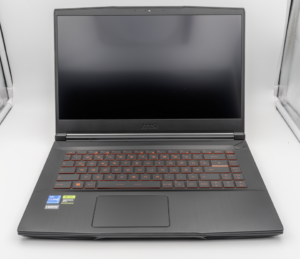
MSI Titan 18 HX A14V (Core i9-14900HX, RTX 4090)

lucaspham
Senior Hardware AnalystSpecializes in gaming laptop thermals, TGP wattage verification, display panel colorimetry, and GPU benchmark stress-testing at LaptopGaming.net.
📚 Related Guides in "Blog"
🔍 Find Your Perfect Gaming Rig
⚡ Shop by GPU Series
TGP Benchmarked🖥️ Display Panels & Refresh
Lab Measured💾 RAM & Multi-Tasking
Dual-Channel📏 Chassis & Form Factor
Display SizePopular Head-to-Head Rivalries
Arena Hub →Rig Shortlist (0)
Click "⚔️ Pin to Duel" on any laptop card to compare!