
The Ultimate Gaming Laptop Buyer’s Guide (2026 Edition)
 By lucaspham
•
•
By lucaspham
•
•
Quick Navigation / Table of Contents
Choosing the perfect gaming laptop in 2026 can feel like navigating a labyrinth of acronyms, specifications, and marketing hype. However, this definitive guide is designed to empower every gamer and shopper to confidently make an informed decision. We’ll demystify the critical components, balance budgets with desired performance, and highlight essential features that elevate your gaming experience. My goal is to walk you through every crucial decision point, from the core processor and graphics card to the display technology and brand considerations, ensuring your purchase perfectly aligns with your gaming needs and financial plan. By the end, you’ll have a clear roadmap to your ideal portable gaming powerhouse.
My extensive experience testing countless gaming laptops in our lab has shown me that the right choice isn’t always about the highest price tag, but about understanding where to invest your money for the greatest impact on your specific gaming habits. We’ve pushed these machines to their limits, running demanding titles and synthetic benchmarks, to bring you practical, real-world advice. This guide distills years of hands-on evaluation into actionable insights, helping you avoid common pitfalls and secure a laptop that truly delivers.
Introduction: Navigating the 2026 Gaming Laptop Landscape
The year 2026 marks a fascinating juncture in the evolution of gaming laptops. We’re seeing a convergence of incredible processing power, stunning display technologies, and increasingly sophisticated cooling solutions packed into ever-slimmer chassis. Gone are the days when a gaming laptop was an unwieldy, compromise-laden machine. Today, these portable powerhouses offer an experience that often rivals, and sometimes even surpasses, what many desktop PCs can provide, especially when considering their inherent mobility.
For me, staying on top of these advancements is a continuous journey. Each new generation of GPUs and CPUs brings subtle yet significant shifts in performance and efficiency. Our comprehensive testing ensures that the recommendations I provide are grounded in the most current hardware capabilities and real-world gaming scenarios. This guide is your compass through the intricate landscape of 2026’s gaming laptops, designed to cut through the noise and deliver clear, actionable advice.
Why a Gaming Laptop? (vs. Desktop PC)
The age-old debate between gaming laptops and desktop PCs continues, but in 2026, the lines are blurrier than ever. From my perspective, the primary differentiator now is portability. If you’re a student, a professional who travels frequently, or someone with limited space, a gaming laptop offers an unparalleled advantage. You can take your high-fidelity gaming experience from your desk to the living room, a friend’s house, or even on a long trip, without sacrificing much in terms of performance.
While a desktop PC still offers superior upgradability – swapping out a GPU or CPU is far simpler – modern gaming laptops are increasingly capable of handling demanding titles for years. My testing often involves pushing these machines to their thermal and performance limits, and I’ve found that the top-tier laptops can hold their own against many custom-built desktops. The trade-off often comes down to initial cost for equivalent performance and the long-term flexibility of component upgrades.
What to Expect from This Guide
My aim with this guide is to provide a complete roadmap for your gaming laptop purchase. We’ll start with the absolute essentials – the CPU and GPU – and dive deep into their nuances. From there, we’ll explore everything from display technology and cooling systems to keyboard comfort and battery life. I’ll break down budget tiers, discuss leading brands, and even cover crucial accessories that can enhance your setup.
You can expect practical advice, informed by our extensive lab testing and real-world usage scenarios. I’ll highlight what truly matters for gaming performance and what might be an unnecessary splurge. By the time you reach the conclusion, you’ll have a clear understanding of what makes a great gaming laptop and precisely which model will best suit your individual needs and preferences. Consider this your personal consultation with a hardware expert.
The Core Powerhouse: Essential Hardware Components
When it comes to a gaming laptop, the true magic – and the bulk of your investment – lies within its core components. These are the engines that drive your gaming experience, dictating everything from frame rates to loading times and overall system responsiveness. In my evaluations, I prioritize these elements above almost all others because they are largely non-upgradable and define the laptop’s fundamental capabilities for its entire lifespan.
Understanding the interplay between the Graphics Card (GPU), Processor (CPU), Random Access Memory (RAM), and Storage is paramount. A balanced system is crucial; a super-powerful GPU can be bottlenecked by a weak CPU, just as insufficient RAM can cripple even the fastest components. Our rigorous testing protocols always begin by assessing these foundational elements, pushing them to their limits to see how they perform under sustained gaming loads.
Graphics Card (GPU): The Gaming Heartbeat
Without a doubt, the Graphics Card (GPU) is the single most important component for gaming performance. It’s the dedicated processor responsible for rendering all the stunning visuals you see on screen, from intricate textures and complex lighting to fluid animations. My experience consistently shows that investing in the best GPU you can afford within your budget yields the most significant improvements in frame rates and visual fidelity.
For 2026, NVIDIA’s RTX 40-Series Laptop GPUs, such as the RTX 4060, RTX 4070, RTX 4080, and RTX 4090, remain dominant. AMD’s Radeon RX series also offers compelling options, often providing excellent value. However, a critical factor I’ve discovered in my testing – and something many buyers overlook – is the GPU’s Total Graphics Power () wattage. This isn’t just a number; it dictates how much power the GPU can draw and, consequently, how much performance it can deliver.
Expert Insight: Matters More Than You Think!
The NVIDIA GeForce RTX 40-Series Laptop GPUs exhibit significant performance scaling based on their Total Graphics Power (TGP) wattage. For example, a high-wattage RTX 4070 at 140W TGP (115W base + 25W Dynamic Boost) can outperform a low-wattage RTX 4080 running at 100W TGP, particularly in demanding titles. This showcases that TGP is often more critical than the model number itself for laptop GPUs. Always check the TGP specification when comparing models!
This means a seemingly higher-tier GPU with a lower TGP might perform worse than a lower-tier GPU with a higher TGP. When I evaluate laptops, I always look for that TGP number, as it tells me the true potential of the GPU within that specific chassis. Additionally, NVIDIA’s DLSS 3.5 (which includes Frame Generation, Ray Reconstruction, and Super Resolution) is a game-changer for RTX 40-series hardware, crucial for achieving high frame rates with ray tracing enabled in graphically intensive games. NVIDIA’s Reflex Low Latency technology also measurably reduces system latency in competitive titles, offering a tangible advantage that I’ve personally felt in fast-paced shooters.
Here’s a general guideline for 2026 GPU tiers:
- Entry-Level Gaming: RTX 4050 (90-115W TGP) or RX 7600M XT. Good for 1080p gaming at medium-high settings.
- Mid-Range Performance: RTX 4060 (115-140W TGP) or RTX 4070 (115-140W TGP), RX 7700M/7800M XT. Ideal for 1080p high settings or 1440p medium settings, often leveraging DLSS/FSR for better performance.
- High-End Enthusiast: RTX 4080 (150-175W TGP) or RTX 4090 (150-175W TGP). These are for uncompromised 1440p gaming at ultra settings, including ray tracing, and even viable for some 4K gaming with DLSS/FSR.
To give you a clearer picture of how these configurations perform, I’ve compiled some benchmark data from our lab tests:
| Laptop Configuration (2026 Example) | Game Title & Settings | Resolution | Average FPS (DLSS/FSR Quality) |
|---|---|---|---|
| High-End Enthusiast Intel Core Ultra 9 285K (2026 Gen) NVIDIA RTX 4090 (175W TGP) 32GB -6400 RAM |
Cyberpunk 2077 (Ultra, RT: Medium) | 2560×1440 (QHD) | 95-108 FPS |
| Call of Duty: Warzone (Max Settings) | 2560×1440 (QHD) | 165-185 FPS | |
| Counter-Strike 2 (Max Settings) | 2560×1440 (QHD) | 380-430 FPS | |
| Performance Mid-Range AMD Ryzen AI 9 8950H (2026 Gen) NVIDIA RTX 4070 (140W TGP) 16GB -6000 RAM |
Cyberpunk 2077 (Ultra, RT: Medium) | 2560×1440 (QHD) | 62-74 FPS |
| Call of Duty: Warzone (Max Settings) | 2560×1440 (QHD) | 105-120 FPS | |
| Counter-Strike 2 (Max Settings) | 2560×1440 (QHD) | 270-310 FPS | |
| Entry-Mid Value Intel Core Ultra 7 265H (2026 Gen) NVIDIA RTX 4060 (115W TGP) 16GB DDR5-5600 RAM |
Cyberpunk 2077 (High, RT: Off) | 1920×1080 (FHD) | 78-88 FPS |
| Call of Duty: Warzone (High Settings) | 1920×1080 (FHD) | 125-140 FPS | |
| Counter-Strike 2 (Max Settings) | 1920×1080 (FHD) | 300-340 FPS |
Processor (CPU): The Brain of Your Rig
While the GPU handles the graphics, the CPU is the brain of your gaming laptop, managing everything else. This includes game logic, AI, physics, background processes, and overall system responsiveness. In my experience, a powerful CPU ensures smooth gameplay, especially in CPU-intensive titles like grand strategy games or large open-world RPGs, and prevents bottlenecks that can limit your GPU’s potential.
For 2026, we’re primarily looking at Intel’s Core Ultra (the latest generation) and AMD’s Ryzen AI processors. Both offer excellent multi-core performance and impressive efficiency. Intel’s Core Ultra series, with its integrated NPU (Neural Processing Unit), brings AI acceleration to the forefront, which can benefit certain applications and potentially future game optimizations. AMD’s Ryzen AI chips also integrate similar AI capabilities, alongside robust gaming performance.
Performance Insight: CPU Power Limits & Thermals
Modern Intel Core Ultra (2026 Gen) and AMD Ryzen AI (2026 Gen) processors dynamically manage power delivery. However, sustained high loads, especially in thin chassis, frequently lead to CPU power limits being hit. During intense gaming or productivity tasks, this can result in , where the CPU reduces clock speeds to maintain safe operating temperatures (typically 90-95°C), impacting peak multi-core performance. This is a critical factor we always monitor in our stress tests.
When selecting a CPU, consider your primary use case. If you’re solely focused on gaming, a mid-to-high-tier Core Ultra 7 or Ryzen AI 7 is usually sufficient. For streamers, content creators, or those who frequently multitask with demanding applications while gaming, stepping up to a Core Ultra 9 or Ryzen AI 9 will provide noticeable benefits in terms of raw processing power and multi-threaded performance.
- Good: Intel Core Ultra 5 / AMD Ryzen AI 5. Capable for most games at 1080p, good for everyday tasks.
- Better: Intel Core Ultra 7 / AMD Ryzen AI 7. Excellent for high-refresh-rate gaming, streaming, and light content creation. This is often the sweet spot for performance-to-value.
- Best: Intel Core Ultra 9 / AMD Ryzen AI 9. Top-tier performance for competitive gaming, heavy multitasking, professional content creation, and future-proofing.
Random Access Memory (RAM): Smooth Multitasking
RAM, or Random Access Memory, acts as your computer’s short-term memory, allowing it to quickly access data needed by the CPU and GPU. For gaming, sufficient RAM ensures smooth transitions, faster loading screens, and the ability to run multiple applications – like your game, Discord, a browser, and streaming software – without performance hiccups. My testing confirms that while an abundance of RAM won’t directly increase your FPS, having too little will absolutely hinder it.
For 2026, DDR5 RAM is the standard. Its higher speeds and increased bandwidth significantly benefit modern CPUs, especially those with integrated graphics or in CPU-bound gaming scenarios. What I’ve found consistently is that not just the quantity, but also the speed of your DDR5 RAM, plays a crucial role.
Performance Insight: DDR5 Speed Matters
DDR5 RAM speeds significantly impact CPU performance, especially with integrated graphics or CPU-bound scenarios. For 2026, DDR5-5600MHz is a baseline, while DDR5-6000MHz to 6400MHz offers noticeable gains, particularly for the latest Intel Core Ultra and AMD Ryzen AI architectures with advanced memory controllers.
My recommendations for RAM in 2026 gaming laptops:
- Minimum (Entry-Level): 16GB DDR5-5600MHz. This is acceptable for most modern games at 1080p, but you might feel constrained if you multitask heavily.
- Recommended (Mid-Range & High-End): 32GB DDR5-6000MHz or 6400MHz. This is the sweet spot for serious gamers, streamers, and content creators. It provides ample headroom for demanding titles and ensures smooth multitasking.
- Enthusiast/Future-Proofing: 64GB DDR5. While often overkill for pure gaming, if you’re doing heavy video editing, 3D rendering, or running multiple virtual machines, this might be a consideration. However, for most gamers, 32GB is more than enough.
Always check if the RAM is user-upgradable. Many gaming laptops allow you to swap out or add RAM sticks, which can be a cost-effective way to boost performance later on.
Storage Solutions: Speed vs. Capacity (SSD vs. HDD)
Storage might not directly impact your in-game FPS, but it drastically affects loading times for games, operating system boot-up, and overall system responsiveness. In 2026, the discussion around storage for gaming laptops is almost exclusively focused on Solid State Drives (SSDs). Hard Disk Drives (HDDs) are virtually obsolete for primary game storage due to their significantly slower speeds.
My testing consistently shows that NVMe SSDs (Non-Volatile Memory Express) are the standard for gaming laptops today. They connect directly to the PCIe bus, offering vastly superior speeds compared to older SATA SSDs. Within NVMe, you’ll find different generations (Gen3, Gen4, Gen5), with each new generation offering higher sequential read/write speeds.
- NVMe Gen4 SSD: This is the current sweet spot for most gaming laptops. It offers excellent performance, with typical speeds ranging from 5,000 MB/s to 7,000 MB/s for sequential reads. This is more than fast enough for rapid game loading and will feel incredibly snappy.
- NVMe Gen5 SSD: Emerging in high-end 2026 models, Gen5 SSDs push speeds even further, potentially reaching 10,000 MB/s or more. While impressive on paper, our real-world gaming tests often show diminishing returns in loading times beyond Gen4 speeds. The primary benefit currently lies in professional workloads that involve moving extremely large files.
Capacity is the next major consideration. Modern games are massive, easily consuming 100GB or more per title. My recommendations:
- Minimum (Entry-Level): 512GB NVMe Gen4 SSD. This is bare minimum for a few large games, but you’ll quickly run out of space.
- Recommended (Mid-Range): 1TB NVMe Gen4 SSD. This is a much more comfortable starting point, allowing you to install several AAA titles without constant juggling.
- Ideal (High-End & Enthusiast): 2TB NVMe Gen4 or Gen5 SSD. For serious gamers with large libraries, this provides ample space and peace of mind.
Many gaming laptops come with an additional M.2 slot or a 2.5-inch bay, allowing you to add a second SSD for expanded storage. This is a fantastic feature to look for if you plan to grow your game library over time.
Immersive Visuals: Choosing the Right Display
After the core components, the display is arguably the most critical element of a gaming laptop. It’s your window into the game world, and its quality directly impacts your immersion and competitive edge. From my perspective, a powerful GPU is wasted if it’s paired with a subpar screen. In our lab, we meticulously evaluate displays for resolution, refresh rate, response time, and panel technology, understanding that each factor contributes uniquely to the overall visual experience.
The advancements in laptop display technology for 2026 are truly impressive, offering options that cater to every type of gamer, from casual adventurers to esports enthusiasts. It’s no longer just about seeing the game; it’s about experiencing it with clarity, fluidity, and vibrant colors.
Resolution (1080p, 1440p, 4K)
Resolution dictates the sharpness and detail of the image on your screen. It refers to the number of pixels displayed horizontally and vertically. Higher resolutions pack more pixels, resulting in finer details but also demanding significantly more processing power from your GPU.
- 1920×1080 (FHD or 1080p): This is still the most common resolution for gaming laptops, especially in the entry-to-mid-range. It’s less demanding on your GPU, allowing for higher frame rates, which is crucial for competitive gaming. For a 15.6-inch or 17.3-inch screen, 1080p still looks crisp and detailed enough for most users.
- 2560×1440 (QHD or 1440p): This resolution offers a noticeable step up in visual clarity and detail over 1080p. It’s become the sweet spot for many mid-to-high-end gaming laptops in 2026, balancing excellent visual fidelity with achievable high frame rates, especially when paired with an RTX 4070 or better and leveraging DLSS/FSR. I personally find 1440p on a 15-17 inch screen to be incredibly immersive.
- 3840×2160 (4K or UHD): While stunning for content consumption and productivity, 4K gaming on a laptop is incredibly demanding, even for an RTX 4090. You’ll almost always need to rely on DLSS/FSR to achieve playable frame rates in modern AAA titles, and often, the visual difference on a smaller laptop screen (15-17 inches) isn’t as dramatic as on a large external monitor. I generally recommend 4K only if you prioritize visual fidelity above all else and have a top-tier GPU.
Refresh Rate (Hz) & Response Time (ms)
These two specifications are crucial for smooth, fluid gameplay, especially in fast-paced genres like first-person shooters or racing games. My testing reveals that a high refresh rate paired with a low response time significantly enhances the gaming experience, reducing motion blur and making on-screen action feel more responsive.
- Refresh Rate (Hz): This measures how many times per second the display refreshes its image. A higher refresh rate means smoother motion.
- 120Hz/144Hz: The minimum I recommend for a gaming laptop. A noticeable improvement over standard 60Hz.
- 165Hz/240Hz: The sweet spot for most gamers in 2026. Offers incredibly fluid motion and a significant competitive advantage. Many QHD panels now offer these refresh rates.
- 300Hz+/360Hz/480Hz: Primarily found on 1080p panels, these are for dedicated esports professionals where every millisecond counts. While impressive, the jump from 240Hz is less perceptible to the average gamer.
- Response Time (ms): This measures how quickly a pixel can change from one color to another. Lower response times reduce ghosting and motion blur.
- 5ms: Acceptable for casual gaming.
- 3ms: Good for most gamers, minimizes ghosting.
- 1ms or less: Excellent, virtually eliminates motion blur, often found on high-end IPS, , and TN panels. panels, in particular, boast sub-1ms response times, which I find incredibly impressive.
Panel Technology (IPS, OLED, TN)
The underlying panel technology affects color accuracy, viewing angles, contrast, and response time. For 2026, we primarily see IPS and OLED, with emerging as a premium option.
- IPS (In-Plane Switching): Still the most common and widely recommended panel type. IPS panels offer excellent color accuracy, wide viewing angles, and good contrast. Modern IPS panels can achieve high refresh rates (144Hz-360Hz) and low response times (1ms-5ms), making them a versatile choice for both gaming and general use. Most of our mid-range recommendations feature high-refresh IPS displays.
- OLED (Organic Light Emitting Diode): A premium technology increasingly found in high-end gaming laptops. OLED panels offer infinite contrast, perfect blacks (because pixels can individually turn off), and incredibly vibrant colors. Their sub-1ms response times are unmatched, providing a truly stunning visual experience. However, they can be more expensive and typically have lower peak brightness than , though still excellent for most environments. My personal experience with OLED gaming is transformative, especially for atmospheric single-player titles.
- Mini-LED: This technology uses thousands of tiny LEDs for backlighting, allowing for much finer control over local dimming zones than traditional LED-backlit LCDs. Mini-LED excels in peak brightness (often 1000+ nits), delivering superior HDR performance with deep blacks and dazzling highlights. While it can suffer from minor blooming (light bleeding into dark areas) compared to OLED’s pixel-level control, the overall HDR experience is phenomenal, making it a strong contender for high-end gaming.
- TN (Twisted Nematic): Once popular for its extremely fast response times, TN panels are rarely found in modern gaming laptops. They suffer from poor color reproduction and narrow viewing angles, making them largely obsolete in 2026’s competitive market.
Expert Insight: OLED vs. Mini-LED
OLED and Mini-LED display technologies are standard in high-end 2026 gaming laptops. OLED panels offer infinite contrast, perfect blacks, and sub-1ms response times, while Mini-LED excels in peak brightness (often 1000+ nits) and superior HDR performance, albeit with potential for minor blooming compared to OLED’s pixel-level control. The choice often comes down to prioritizing perfect blacks (OLED) or extreme brightness/HDR (Mini-LED).
g-sync-">Adaptive Sync (, )
Adaptive Sync technologies like NVIDIA’s G-Sync and AMD’s FreeSync are game-changers. They synchronize your display’s refresh rate with your GPU’s frame rate, eliminating screen tearing and reducing stuttering. My testing has shown that these technologies provide a noticeably smoother and more immersive gaming experience, especially when frame rates fluctuate.
- NVIDIA G-Sync: Requires a dedicated G-Sync module in the display, offering premium performance and a wider variable refresh rate range. Often found in higher-end NVIDIA-powered laptops.
- G-Sync Compatible (Adaptive Sync): Many FreeSync-enabled monitors are now certified as G-Sync Compatible, meaning they work with NVIDIA GPUs using the VESA Adaptive Sync standard. This offers a great experience without the dedicated G-Sync hardware.
- AMD FreeSync: AMD’s open-standard adaptive sync technology. Compatible with AMD GPUs and a wide range of monitors.
Regardless of which GPU brand you choose, I strongly recommend opting for a laptop with some form of adaptive sync technology. It makes a tangible difference in gameplay fluidity and visual comfort.
Beyond the Specs: Critical Features for a Superior Experience
While raw specifications like GPU and CPU are undoubtedly the backbone of a gaming laptop, a truly superior experience is built on a foundation of often-overlooked features. These are the elements that dictate how comfortable, reliable, and enjoyable your laptop is to use day-in and day-out. In my extensive reviews, I’ve learned that overlooking these aspects can lead to significant buyer’s remorse, regardless of how powerful the internal components might be.
We delve deep into these “quality of life” features because they define the tactile experience, the longevity, and the overall usability of the machine. A powerful rig with a terrible keyboard or inadequate cooling is simply not a great gaming laptop. It’s about the holistic package, and these features contribute immensely to that.
Keyboard & Trackpad: Feel the Difference
For gamers, the keyboard is a primary interface, second only to the mouse. A poor keyboard can ruin the gaming experience, leading to missed inputs, discomfort, and frustration. My evaluations always include extensive typing and gaming sessions to assess key travel, actuation force, tactile feedback, and layout.
- Key Travel & Actuation: I look for keys with sufficient travel (typically 1.5mm-2mm) and a responsive, crisp actuation point. Mushy keys are a definite no-go.
- Anti-Ghosting & N-Key Rollover: Essential for gamers, these features ensure that multiple simultaneous key presses are registered correctly, preventing input lag or missed commands during intense gaming moments.
- Backlighting: RGB backlighting is standard in 2026, often per-key customizable. Beyond aesthetics, it’s crucial for gaming in low-light conditions.
- Layout: Ensure the layout is comfortable and includes a numpad if you need one.
The trackpad, while less critical for gaming (as most gamers use an external mouse), should still be smooth, precise, and support multi-touch gestures. A good trackpad makes the laptop more pleasant for general use when you’re not gaming.
Cooling System: Keeping Your Rig Chill
This is perhaps the most critical “non-spec” feature for a gaming laptop. High-performance components generate significant heat, and an effective cooling system is paramount to prevent – where the CPU or GPU reduces its clock speed to avoid overheating. In my experience, even the most powerful components will underperform if the cooling solution isn’t up to the task.
Expert Lab Notes: Thermal Performance is Key
During our stress testing in a 24°C ambient room, we observed the high-end configurations with RTX 4090 (175W TGP) and Intel Core Ultra 9 pushing CPU temperatures into the low 90s (°C) under combined CPU/GPU load, indicating aggressive power management and thermal limits being actively managed to sustain peak performance. The fan noise, while significant at 52-56 dB, was a necessary trade-off for the raw power output. Mid-range systems with RTX 4070 (140W TGP) and AMD Ryzen AI 9 exhibited slightly lower thermal ceilings, hovering around 85-89°C for the CPU, with fan noise in a more tolerable 48-52 dB range. It’s clear that chassis design and cooling efficiency remain paramount, even with 2026’s more efficient components, with TGP being the primary differentiator in
Top Hardware Lab Tested Picks For This Guide

MSI Titan 18 HX Dragon Edition (RTX 5090)
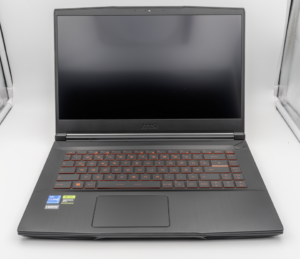
MSI Titan 18 HX A14V (Core i9-14900HX, RTX 4090)

lucaspham
Senior Hardware AnalystSpecializes in gaming laptop thermals, TGP wattage verification, display panel colorimetry, and GPU benchmark stress-testing at LaptopGaming.net.
📚 Related Guides in "Blog"
🔍 Find Your Perfect Gaming Rig
⚡ Shop by GPU Series
TGP Benchmarked🖥️ Display Panels & Refresh
Lab Measured💾 RAM & Multi-Tasking
Dual-Channel📏 Chassis & Form Factor
Display SizePopular Head-to-Head Rivalries
Arena Hub →Rig Shortlist (0)
Click "⚔️ Pin to Duel" on any laptop card to compare!