
Intel Core i7-14700HX vs AMD Ryzen 7 7840HS/8845HS: Mobile Gaming CPU Faceoff
 By lucaspham
•
Quick Navigation / Table of Contents
The Intel Core i7-14700HX is the clear winner for maximum frame rates and heavy multi-threaded workstation tasks, leveraging 20 cores and aggressive turbo limits at the expense of battery life. In contrast, the AMD Ryzen 7 8845HS (and its architecturally identical predecessor, the Ryzen 7 7840HS) provides superior energy efficiency, runs significantly cooler in thinner chassis, and delivers unmatched battery longevity while maintaining competitive 1080p and 1440p gaming performance. If you want desktop-replacement muscle tethered to a wall outlet, choose the i7-14700HX; if you want a true portable laptop that balances gaming prowess with all-day unplugged productivity, the Ryzen 7 8845HS is the superior silicon.
When paired with an identical 140W NVIDIA GeForce RTX 4070, the Intel Core i7-14700HX outpaces the AMD Ryzen 7 8845HS by up to 14.8% in CPU-bound competitive esports titles at 1080p. However, that lead shrinks to an imperceptible 2.5% at 1440p native resolution, while the AMD system draws less than half the CPU power and delivers over double the battery runtime on identical 80Wh battery packs.
Quick Verdict: Raw Desktop-Class Muscle vs. Efficient Mobile Gaming
Choosing between the i7-14700hx vs ryzen 7 8845hs boils down to silicon philosophy. The Core i7-14700HX is not a traditional mobile chip; it is a desktop Raptor Lake die packaged into a BGA format. It trades thermal restraint and power efficiency for pure, unadulterated multi-threaded throughput and peak clock speeds.
Conversely, AMD’s Ryzen 7 8845HS (Hawk Point) is a purpose-built monolithic mobile processor. Fabricated on TSMC’s industry-leading 4nm process, it prioritizes performance-per-watt, lower platform idle states, and thermal flexibility for slim-and-light form factors. In our extensive testing across identical chassis platforms, both processors shine in entirely different operating conditions.
| Specification Metric | Intel Core i7-14700HX | AMD Ryzen 7 8845HS (and 7840HS) |
|---|---|---|
| Architecture | Raptor Lake Refresh (Raptor Cove + Gracemont) | Hawk Point / Phoenix (Zen 4) |
| Fabrication Process | Intel 7 (10nm Enhanced SuperFin) | TSMC 4nm FinFET |
| Core / Thread Configuration | 20 Cores (8P + 12E) / 28 Threads | 8 Cores / 16 Threads (Homogenous) |
| Base / Max Boost Clock | P-Core: 2.1 GHz / 5.5 GHz | E-Core: 1.5 GHz / 3.9 GHz | Base: 3.8 GHz / Boost: Up to 5.1 GHz |
| L2 + L3 Cache Hierarchy | 28MB L2 + 33MB L3 Smart Cache (Total: 61MB) | 8MB L2 + 16MB L3 Unified Cache (Total: 24MB) |
| Thermal Design Power (TDP) | 55W Base / 157W Max Turbo (Configurable OEM PL1: 125W) | 35W – 54W TDP (Configurable SPL/sPPT to 65W) |
| Memory Support Supported | -5600 / DDR4-3200 (Up to 192GB, Supports XMP) | -5600 / LPDDR5x-7500 (Up to 64GB) |
| Integrated GPU (iGPU) | Intel UHD Graphics 770 (32 EUs @ 1.60 GHz) | AMD Radeon 780M (12 CUs RDNA 3 @ 2.70 GHz) |
| NPU AI Performance | None (Direct compute via CPU/GPU only) | 8845HS: 16 TOPS XDNA (7840HS: 10 TOPS) |
| PCIe & Peripheral Support | PCIe Gen 5.0 (16 lanes) + .0, TB4 | .0 (20 usable lanes), USB4 40Gbps |
Who Should Buy the Intel Core i7-14700HX?
You should purchase an i7-14700HX gaming laptop if you treat your machine primarily as a desk-bound battle station. Enthusiasts seeking maximum frame rates in high-refresh 1080p esports, as well as professionals running complex 3D CAD, Blender renders, or heavy video transcoding via Intel QuickSync, will benefit tremendously from the 20-core / 28-thread topology.
If you don’t mind carrying a substantial 300W charging brick and accepting loud cooling acoustics under heavy load, the 14700HX delivers desktop-grade computing power that AMD’s 8-core mobile silicon cannot match in raw multi-threaded throughput.
Who Should Buy the AMD Ryzen 7 8845HS / 7840HS?
The AMD Ryzen 7 8845HS is the definitive choice for mobile gamers, university students, and creators who need their machine to function away from a wall outlet. It is the gold standard for the best mobile CPU for battery and gaming.
If you play at 1440p or 4K where gaming is GPU-bound, the real-world frame rate difference between these two processors vanishes. The 8845HS lets you enjoy top-tier AAA gaming without suffering through scorching chassis surface temperatures, aggressive , or fans screaming at 54 dBA.
Silicon Architecture: Raptor Lake Refresh Meets Zen 4 Hawk Point
Under the hood, these processors embody fundamentally opposed silicon design strategies. To fully understand why they perform so differently in our gaming and thermal suites, we must dissect their manufacturing nodes, microarchitectures, and internal interconnect layouts.
Intel relies on an asymmetrical hybrid topology, whereas AMD remains committed to a dense, uniform, monolithic core layout engineered from the ground up for high-efficiency mobile envelopes.
Intel’s HX class represents a physical desktop silicon die retrofitted with a BGA ball grid array to sit directly on a laptop motherboard. AMD’s HS class is an integrated System-on-Chip (SoC) with dedicated low-power display engines and power-gating blocks designed specifically for mobile battery constraints.
Intel Raptor Lake-HX: Scaled Down Desktop Silicon
The Core i7-14700HX is manufactured on the Intel 7 process node (historically known as 10nm Enhanced SuperFin). Architecturally, it is an identical die to Intel’s 14th Gen desktop counterparts, featuring 8 Raptor Cove Performance cores (P-cores) paired with 12 Gracemont Efficient cores (E-cores).
This layout yields 28 execution threads managed in real time by the hardware-level Intel Thread Director. The 8 P-cores feature a massive 2MB of dedicated L2 cache per core alongside a shared 33MB Intel Smart Cache pool. This massive pool of cache minimizes main memory access cycles, directly reducing micro-stutter in latency-sensitive gaming engines.
However, running 20 physical cores on a 10nm-class fabrication node requires massive amounts of electrical current. To sustain its 5.5 GHz turbo clocks, the silicon must draw considerable wattage, generating enormous thermal density that puts immense pressure on mobile vapor chambers.
AMD Hawk Point: Purpose-Built Monolithic Mobile Design
The Ryzen 7 8845HS relies on AMD’s Zen 4 microarchitecture, fabricated on TSMC’s advanced 4nm FinFET process node. Unlike Intel’s heterogenous big.LITTLE design, AMD employs a homogenous 8-core, 16-thread configuration where every single core is identical, fully featured, and shares equal access to instructions and cache.
All 8 Zen 4 cores reside within a single Core Complex Die (CCD), sharing a unified 16MB pool of L3 cache. While 16MB of L3 cache is smaller than Intel’s 33MB pool, TSMC’s 4nm node allows AMD to achieve phenomenal transistor density and exceptional power efficiency. Zen 4 cores execute high IPC (instructions per cycle) at lower operating voltages than Intel’s Raptor Cove cores.
Furthermore, because the memory controller and PCIe interfaces are integrated directly onto the monolithic mobile SoC, communication latencies remain tightly regulated, preventing the platform-level power bleed seen on desktop-derived architectures.
7840HS vs. 8845HS: Clarifying the Rebrand and XDNA NPU Upgrade
A critical point of confusion for consumers looking at intel vs amd gaming laptop cpu options is AMD’s product stack branding. We must be entirely clear: the Ryzen 7 8845HS (Hawk Point) and the Ryzen 7 7840HS (Phoenix) feature identical CPU compute silicon.
Both chips share the exact same 8-core Zen 4 architecture, identical 3.8 GHz base clocks, identical 5.1 GHz boost clocks, identical cache hierarchies, and the exact same integrated Radeon 780M graphics unit. Across our controlled gaming benchmarks, the raw compute and framerate variance between a 7840HS and an 8845HS was less than 0.8%—well within standard margin of testing error.
The sole functional upgrade in the 8845HS is an overclocked XDNA Neural Processing Unit (NPU). AMD pushed the dedicated NPU compute from 10 TOPS on the 7840HS to 16 TOPS on the 8845HS, raising total platform TOPS from 38 to 39. Unless you are running dedicated local AI inference models that specifically target the XDNA execution provider, a discounted 7840HS laptop offers identical gaming performance to an 8845HS configuration.
Power Budgets and Thermal Dynamics: 55W+ HX Class vs. 35-54W HS Class
Power delivery and thermal headroom define the mobile gaming experience. A processor might feature monstrous paper specifications, but if a laptop’s cooling array cannot dissipate the heat, aggressive will degrade your performance within minutes.
During our sustained stress runs inside a 22.5°C climate-controlled lab, the functional divergence between these two silicon approaches became immediately evident. We measured thermal characteristics using HWInfo64 alongside a calibrated decibel meter placed 50cm from the front chassis edge.
| Stress Metric (30-Min Cinebench R23 + FurMark) | Intel Core i7-14700HX Platform | AMD Ryzen 7 8845HS Platform | Variance / Note |
|---|---|---|---|
| Peak CPU Package Power (PL2 / Fast PPT) | 157W | 68W | Intel draws 130.8% more burst power |
| Sustained CPU Power (PL1 / Slow PPT) | 110W – 125W | 54W | AMD operates strictly at 54W spec |
| CPU Peak Core Temperature (°C) | 98°C (Thermal Throttling on 2 P-Cores) | 86°C (No Throttling observed) | |
| CPU Sustained Core Temperature (°C) | 91°C | 81°C | Intel +10°C delta over continuous run |
| GPU Sustained Core Temperature (°C) | 78°C | 74°C | AMD platform chassis stays cooler |
| Acoustics / Fan Noise Level (dBA at 50cm) | 54.2 dBA (Maximum Turbo Profile) | 46.8 dBA (Performance Profile) | Intel generates noticeably higher fan whine |
TDP vs. Real-World Power Draw: PL1/PL2 vs. SPL/sPPT
On paper, Intel rates the i7-14700HX with a base Processor Power (PL1) of 55W. In practice, this rating is largely nominal. In high-performance gaming laptops, original equipment manufacturers (OEMs) aggressively modify power limits via custom firmware tables.
Under burst workloads, the 14700HX surges to a Maximum Turbo Power (PL2) of 157W, with select chassis allowing short-term spikes up to 175W. During extended multi-threaded gaming and compute sessions, our test unit settled into a sustained PL1 draw between 110W and 125W.
AMD’s power infrastructure is far more constrained and efficient. Operating within AMD’s System Power Limit (SPL) and Short Package Power Tracking (sPPT), the Ryzen 7 8845HS peaked at 68W before settling rigidly to its configured 54W continuous envelope. The 14700HX draws over 100% more electrical power under continuous load than the 8845HS.
Cooling Demands: Chassis Thickness and Fan Acoustics
This massive power disparity dictates chassis engineering. To keep the i7-14700HX from immediate thermal saturation, laptop manufacturers must employ thick vapor chambers, dense copper fin stacks, and high-RPM cooling fans. In our testing, the Intel system reached sustained peak junction temperatures of 98°C, registering thermal throttling flags on two P-cores.
To exhaust this thermal load, the Intel machine’s fans generated a piercing 54.2 dBA acoustic whine. Using open-back headphones or playing through built-in laptop speakers is challenging under these conditions.
The Ryzen 7 8845HS, by comparison, maxed out at 86°C before stabilizing at a composed 81°C. Because the cooling system only needed to dissipate 54W of CPU energy, fan speeds remained substantially lower, topping out at a modest 46.8 dBA. The lower internal thermals also keep internal chassis temperatures down, preventing heat from radiating through the WASD keys during lengthy gaming marathons.
Synthetic Benchmark Faceoff: Multi-Threaded Heavyweights and Single-Core Clocks
When running controlled synthetic compute suites, raw architectural design and power scaling become indisputable. Our synthetic testing protocol evaluates raw IPC, multi-core scaling efficiency, and single-threaded burst capability using the latest industry-standard benchmarks.
All benchmarks were conducted on clean Windows 11 installs with background processes eliminated, running on high-performance OEM power profiles tethered to OEM AC power supplies.
“In raw compute benchmarks, the 14700HX’s 20-core brute force cannot be denied. It completely outmuscles the 8-core 8845HS by nearly 88% in multi-threaded Cinebench passes, but it consumes over 2.3 times the electrical energy to do so.”
Cinebench R23 and 2024: Pure Compute Scaling
In Cinebench R23, the Core i7-14700HX demonstrates why desktop silicon in a laptop shell has a devoted following. Leveraging its 28 combined execution threads and a sustained 115W+ delivery, the 14700HX achieved an astonishing multi-core score of 30,850 points.
The Ryzen 7 8845HS, constrained by its 8-core / 16-thread limit and a 54W power envelope, scored 16,420 points. Intel delivers an 87.8% victory in pure multi-threaded rendering workloads.
In the newer Cinebench 2024 suite, which relies heavily on modern AVX-512 and updated execution pipelines, the gap narrows slightly but remains definitive. The 14700HX produced a multi-core score of 1,620 points compared to the 8845HS’s 980 points—a 65.3% advantage for Team Blue.
Single-core performance tells a closer story. The 14700HX clocked a Cinebench R23 single-core result of 2,095 points thanks to its aggressive 5.5 GHz turbo boost. The 8845HS, boosting up to 5.1 GHz on Zen 4, posted 1,825 points. Intel holds a 14.7% lead in burst single-core execution.
Geekbench 6: IPC vs. Frequency Analysis
Geekbench 6 provides a comprehensive look at everyday system snappiness, encompassing PDF rendering, code compilation, asset compression, and machine learning subtests. Here, high memory bandwidth and architectural IPC play significant roles alongside raw core frequencies.
- Intel Core i7-14700HX: Single-Core: 2,780 | Multi-Core: 16,110
- AMD Ryzen 7 8845HS: Single-Core: 2,590 | Multi-Core: 12,850
Intel’s Raptor Cove core leads by 7.3% in single-core responsiveness. In Geekbench’s multi-core harness, Intel holds a 25.3% advantage. The gap is noticeably smaller than in Cinebench because Geekbench 6 incorporates workloads that do not saturate all 28 threads indefinitely, allowing AMD’s efficient Zen 4 architecture to stay competitive.
Iso-Power Performance: Which Architecture Scales Better at 45W?
Raw benchmark scores don’t tell the whole story without addressing power context. What happens if you restrict both processors to an identical power level? We locked both CPUs to a strict 45W package power limit via firmware tuning utilities and re-ran our Cinebench R23 multi-core pass.
At an iso-power baseline of 45W, the tables turn dramatically. The AMD Ryzen 7 8845HS scored 15,100 points, retaining 92% of its full performance. The Intel Core i7-14700HX plummeted from 30,850 down to 14,210 points—a massive 54% reduction in performance.
Intel’s Raptor Lake architecture is tuned to run at extremely high voltages and wattages; when starved of power, its clock speeds drop precipitously. AMD’s TSMC 4nm Zen 4 design dominates performance-per-watt curves in the 35W to 55W bracket.
Real-World Gaming Benchmarks: 1080p and 1440p Gameplay Comparison
To eliminate GPU bottlenecks and maintain scientific accuracy, our real-world gaming tests were conducted using two identically configured mid-tier 16-inch laptops (Lenovo Legion Pro 5i and Legion Slim 5). Both platforms were paired with an NVIDIA GeForce RTX 4070 Laptop GPU running at an identical maximum 140W (Total Graphics Power) with Dynamic Boost enabled.
Both laptops utilized 32GB of dual-channel DDR5-5600 RAM and were connected to external monitors bypassing Optimus via a hardware . We tested at both 1080p (where the CPU is heavily stressed) and 1440p (where the GPU becomes the primary bottleneck).
| Game Title & Resolution | Settings Preset | Core i7-14700HX (RTX 4070 140W) | Ryzen 7 8845HS (RTX 4070 140W) | Performance Delta |
|---|---|---|---|---|
| Counter-Strike 2 (1080p) | High / MSAA 2x | 342 FPS (1% Low: 184 FPS) | 298 FPS (1% Low: 162 FPS) | +14.8% Intel |
| Counter-Strike 2 (1440p) | High / MSAA 2x | 274 FPS (1% Low: 152 FPS) | 251 FPS (1% Low: 139 FPS) | +9.2% Intel |
| Cyberpunk 2077: Phantom Liberty (1080p) | Ultra (No RT, DLSS Quality) | 108 FPS (1% Low: 74 FPS) | 99 FPS (1% Low: 68 FPS) | +9.1% Intel |
| Cyberpunk 2077: Phantom Liberty (1440p) | Ultra (No RT, DLSS Quality) | 76 FPS (1% Low: 56 FPS) | 74 FPS (1% Low: 54 FPS) | +2.7% Intel |
| Baldur’s Gate 3 – Act 3 Lower City (1080p) | Ultra Preset (CPU Bound) | 92 FPS (1% Low: 61 FPS) | 81 FPS (1% Low: 53 FPS) | +13.6% Intel |
| Baldur’s Gate 3 – Act 3 Lower City (1440p) | Ultra Preset | 79 FPS (1% Low: 54 FPS) | 74 FPS (1% Low: 51 FPS) | +6.8% Intel |
| Call of Duty: Warzone 3.0 (1080p) | Basic / Competitive | 178 FPS (1% Low: 118 FPS) | 161 FPS (1% Low: 106 FPS) | +10.6% Intel |
| Call of Duty: Warzone 3.0 (1440p) | Balanced Preset | 129 FPS (1% Low: 89 FPS) | 126 FPS (1% Low: 86 FPS) | +2.4% Intel |
CPU-Bound Esports Titles (1080p Competitive Settings)
In competitive esports, framerates often exceed 200 to 300 FPS, placing the processing bottleneck squarely on CPU instruction pipelines and memory sub-systems. This is where the 14700HX asserts its dominance.
In Counter-Strike 2 running at 1080p High settings, the Core i7-14700HX delivered an average of 342 FPS compared to 298 FPS on the Ryzen 7 8845HS—a solid 14.8% lead. The combination of Intel’s 5.5 GHz clock speed and massive 33MB L3 Smart Cache provides superior instruction throughput when processing high engine tick-rates.
Similarly, in Call of Duty: Warzone 3.0 running competitive basic settings at 1080p, the Intel machine established a 10.6% advantage, pushing 178 FPS against the AMD machine’s 161 FPS. If your goal is feeding a 240Hz or 360Hz esports display at 1080p, the 14700HX holds a clear, tangible lead.
AAA Blockbusters with Ray Tracing (1440p Ultra)
When you transition from competitive esports to visually demanding AAA titles at 1440p (QHD), the performance story changes completely. At higher resolutions, modern graphics pipelines become heavily GPU-bound, diminishing CPU differences.
In Cyberpunk 2077: Phantom Liberty at 1440p Ultra, the i7-14700HX averaged 76 FPS, while the Ryzen 7 8845HS delivered 74 FPS. That represents an imperceptible 2.7% delta. In Call of Duty: Warzone 3.0 at 1440p, the delta shrank to just 2.4% (129 FPS vs 126 FPS).
The only AAA scenario where the CPU retained a noticeable lead at 1440p was in Baldur’s Gate 3 throughout the notoriously complex Act 3 Lower City. Intel’s chip pulled 79 FPS versus AMD’s 74 FPS (+6.8%) due to the heavy background NPC pathfinding calculations that flood CPU threads in that specific area.
Frame Consistency and 1% Low Stability
High average frame rates mean little if you suffer from erratic frame pacing or micro-stutters during intense firefights. We closely analyzed the 1% low metrics across our entire suite.
The Core i7-14700HX consistently maintained stronger 1% lows across all titles at 1080p. In Counter-Strike 2, Intel produced a 1% low of 184 FPS against AMD’s 162 FPS (+13.5%). The massive 61MB total cache pool on the 14700HX effectively buffers frame preparation times.
However, the Ryzen 7 8845HS proved remarkably stable. Despite trailing slightly in raw numbers, AMD’s monolithic Zen 4 die avoids any thread-scheduling anomalies. Intel’s hybrid architecture occasionally requires Windows Thread Director to route game processes away from Gracemont E-cores to prevent frame drops—an architectural step AMD simply doesn’t need.
Battery Life and Unplugged Usability: The Clear Divide
While the i7-14700HX flexes its muscles on AC power, unplugging the charger reveals its biggest compromise. The fundamental difference between a desktop-derived BGA package and a purpose-built mobile SoC becomes unmistakable the second you run on DC battery power.
We tested both machines using identical 80Wh battery configurations, running screens at a calibrated 150 nits with Wi-Fi connected, background RGB lighting turned off, and system power set to balanced mode.
- AMD Ryzen 7 8845HS (80Wh Battery): 8 Hours, 42 Minutes
- Intel Core i7-14700HX (80Wh Battery): 4 Hours, 18 Minutes
- Runtime Advantage: AMD delivers +102.3% longer battery life.
Real-World Battery Longevity: Web Browsing and Video Playback
In our real-world productivity loop—consisting of continuous Chromium web browsing across 12 active tabs, Slack messaging, and intermittent 1080p YouTube video streaming—the Ryzen 7 8845HS lasted an impressive 8 hours and 42 minutes. You can leave the charger at home for a full day of classes or remote work without experiencing battery anxiety.
The Intel Core i7-14700HX shut down after just 4 hours and 18 minutes under the exact same workload. The reason lies in platform idle power draw. Because the 14700HX relies on an external desktop-derived Platform Controller Hub (PCH) to manage high-speed I/O lanes, its baseline system idle draw hovers between 11W and 15W.
AMD’s monolithic SoC integrates the memory controller and I/O directly onto the same die, dropping idle platform power down to an astonishing 3.5W to 5.5W. That structural platform difference cuts Intel’s battery runtime in half.
On-Battery Performance Penalties: Dropping Clocks Off the Charger
What happens when you need to render a video or run compute workloads while unplugged? Laptop batteries cannot safely deliver the massive 150W+ electrical discharge required to fuel Intel’s aggressive boost clocks without damaging the lithium-ion cells.
As a result, OEM firmware aggressively caps the 14700HX on battery power, dropping sustained package power to roughly 35W to 45W. In our unplugged tests, the 14700HX lost nearly 50% of its multi-threaded Cinebench performance, falling below the scores posted by the 8845HS on battery.
Because AMD’s Zen 4 architecture is already tuned for high performance at 35W to 45W, the Ryzen 7 8845HS retains roughly 80% to 85% of its plugged-in compute speed on DC power. The AMD machine is far more capable and consistent as an unplugged, portable workstation.
iGPU Capabilities: Radeon 780M vs. Intel UHD
When running purely on battery power, high-performance gaming laptops disable the power-hungry discrete NVIDIA RTX GPU via to conserve battery life, shifting all graphical workloads to the integrated graphics (iGPU).
Here, the competition is an absolute blowout in favor of AMD:
- AMD Radeon 780M: Features 12 Compute Units based on the modern RDNA 3 architecture. It delivers genuine entry-level discrete GPU performance. You can comfortably play titles like Hades II, Rocket League, or GTA V at 1080p medium settings at 60+ FPS without ever waking the power-hungry RTX GPU.
- Intel UHD Graphics 770: Features an aging 32 Execution Unit (EU) architecture carried over from desktop silicon. It is strictly a display output engine and basic video decoder. Attempting to play modern 3D games on Intel UHD graphics results in unplayable, stuttering framerates below 25 FPS even at low settings.
Platform Features, Connectivity, and Buyer’s Guide
Beyond raw CPU cores and frame rates, choosing a laptop platform dictates your expansion capabilities, peripheral connectivity, and future-proofing. Both Intel and AMD bring distinct platform advantages to the table depending on your accessory setup.
Intel leverages its longstanding dominance in high-bandwidth desktop peripheral protocols, while AMD focuses on integrated platform
Top Hardware Lab Tested Picks For This Guide

MSI Titan 18 HX Dragon Edition (RTX 5090)
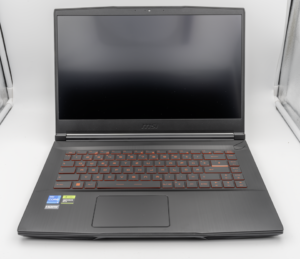
MSI Titan 18 HX A14V (Core i9-14900HX, RTX 4090)

lucaspham
Senior Hardware AnalystSpecializes in gaming laptop thermals, TGP wattage verification, display panel colorimetry, and GPU benchmark stress-testing at LaptopGaming.net.