
Laptop CPU Hierarchy 2026: Intel Core Ultra vs AMD Ryzen AI Ranked
 By lucaspham
•
By lucaspham
•
Quick Navigation / Table of Contents
Laptop CPU Hierarchy 2026: Intel Core Ultra vs AMD Ryzen AI Ranked
Welcome to our definitive 2026 laptop CPU hierarchy, where we meticulously rank the latest processors from Intel’s Core Ultra and AMD’s Ryzen AI series. If you’re a tech enthusiast, a dedicated gamer, or a professional seeking the ultimate mobile workstation, understanding the nuanced differences between these powerhouses is absolutely critical. My goal with this guide is to cut through the marketing jargon and provide a clear, data-driven tier list, helping you immediately identify the best processor for your specific needs, whether that’s pushing frame rates in the latest AAA titles, accelerating AI-driven workloads, or maximizing efficiency for on-the-go productivity.
In this comprehensive analysis, I’ll leverage our extensive hands-on testing and benchmark data to evaluate each CPU on raw performance, gaming prowess, power efficiency, and the burgeoning capabilities of integrated AI Neural Processing Units (NPUs). We’ll explore how these factors converge to define the true value of a processor in today’s demanding laptop landscape. By the end of this article, you’ll have a crystal-clear understanding of which mobile CPU stands where, empowering you to make a truly informed purchasing decision for your next gaming or general-purpose laptop.
Introduction: Navigating the 2026 Laptop CPU Landscape
In the rapidly evolving world of portable computing, the Central Processing Unit (CPU) remains the undisputed brain of any laptop. Its performance dictates everything from the snappiness of everyday tasks to the fluidity of gaming and the speed of complex professional applications. For gamers, in particular, a powerful CPU ensures that your dedicated Graphics Processing Unit (GPU) isn’t bottlenecked, allowing it to render frames at its full potential and deliver that coveted high-refresh-rate experience.
As we delve into 2026, the laptop CPU market is primarily dominated by two titans: Intel with its formidable Core Ultra series and AMD with its innovative Ryzen AI processors. Both companies have been locked in an intense battle for supremacy, pushing the boundaries of what’s possible in mobile computing. This fierce competition has led to incredible advancements in core architectures, clock speeds, power efficiency, and, most notably, the integration of dedicated AI acceleration hardware.
This hierarchy isn’t just about raw numbers; it’s about understanding the holistic performance of these CPUs. We’ll explore their capabilities across various metrics, including their integrated features like graphics and NPUs, and ultimately, their overall value proposition. My aim is to equip you with a clear, actionable tier list, making the often-daunting task of choosing a laptop CPU much simpler and more transparent.
Understanding Laptop CPU Metrics & Terminology
Before we dive into the rankings, it’s essential to understand the key metrics and terminology I use to evaluate these processors. These aren’t just technical specifications; they directly translate into the real-world performance you’ll experience.
- Core Count & Thread Count: This refers to the number of processing units (cores) and virtual cores (threads) a CPU possesses. More cores and threads generally mean better multitasking capabilities and faster performance in applications optimized for parallel processing, like video editing or 3D rendering. For gaming, single-core performance often takes precedence, but modern games are increasingly leveraging multiple cores.
- Clock Speed (Base & Boost): Measured in Gigahertz (GHz), clock speed indicates how many cycles a CPU can perform per second. The base clock is the sustained speed, while the boost clock is the maximum speed a core can reach under optimal conditions for short bursts. Higher clock speeds generally translate to faster raw processing power for individual tasks.
- Cache Memory (L1, L2, L3): This is a small, ultra-fast memory located directly on the CPU die. It stores frequently accessed data, allowing the CPU to retrieve it much faster than from main system RAM. Larger and faster cache memory can significantly improve performance, especially in latency-sensitive applications and games.
- TDP (Thermal Design Power): TDP, or more accurately, Processor Base Power (PBP) for modern Intel chips, indicates the maximum amount of heat a CPU is expected to generate under typical workloads, which the laptop’s cooling system must dissipate. Higher TDP CPUs often offer more sustained performance but require robust cooling solutions and can impact battery life. Modern 2026 elite-tier CPUs like the Intel Core Ultra 9 285K or AMD Ryzen AI 9 9900HX are designed to sustain PBP of 55W-75W continuously, with peak turbo bursts exceeding 150W. However, under sustained combined CPU+GPU gaming loads, CPU power is typically managed to 45-65W to maintain overall system thermals and prevent , ensuring stable frame rates over transient peak bursts.
- Integrated Graphics (iGPU): Many laptop CPUs come with integrated graphics, eliminating the need for a separate, dedicated GPU for basic display output. The performance of these iGPUs, like Intel’s Arc Graphics or AMD’s RDNA-based solutions, has advanced significantly, making them capable of light gaming and accelerating certain productivity tasks.
- AI Neural Processing Units (NPU): This is the new frontier. NPUs are specialized hardware accelerators designed to efficiently handle AI and machine learning workloads, offloading them from the CPU and GPU. They are crucial for features like real-time background blur in video calls, AI-powered image editing, and upcoming generative AI applications, all while consuming less power.
Key Performance Indicators (KPIs) for Gaming
For gaming, my focus shifts slightly. While core count matters, high single-core clock speeds and efficient cache often have a more direct impact on frame rates. The CPU’s ability to feed instructions to the GPU quickly is paramount. We look at average FPS, 1% low FPS (for smoothness), and how well the CPU prevents bottlenecks with powerful dedicated GPUs.
Power Efficiency vs. Raw Horsepower
This is a constant balancing act in laptops. Raw horsepower, often associated with higher clock speeds and core counts, typically demands more power and generates more heat. Power efficiency, on the other hand, allows for longer battery life and thinner, lighter laptop designs. My analysis considers how well each CPU balances these two, especially for different use cases. A powerful gaming laptop might prioritize raw horsepower, while an ultrabook emphasizes efficiency.
Our Methodology: How We Rank Laptop CPUs for 2026
To provide you with the most accurate and useful CPU hierarchy, our ranking methodology is rigorous and multifaceted. It combines both synthetic benchmarks, which provide controlled, repeatable scores, with real-world application testing that reflects actual user experiences. I’ve personally overseen countless hours of testing on a wide array of laptops equipped with these 2026 processors.
- Synthetic Benchmarks: We kick things off with industry-standard synthetic benchmarks.
- Cinebench: This suite measures CPU rendering performance, giving us a strong indicator of multi-core and single-core capabilities for tasks like 3D rendering.
- Geekbench: Providing both single-core and multi-core scores, Geekbench offers a broad measure of CPU performance across various workloads.
- 3DMark CPU scores: Specifically, we look at CPU Profile and Time Spy CPU scores, which are excellent indicators of how well a CPU performs in gaming-specific scenarios.
- Real-World Gaming Performance: This is where the rubber meets the road for gamers. We test a suite of popular and demanding titles, including Cyberpunk 2077, Call of Duty: Warzone, CS2, and Forza Horizon 5, across various resolutions (1080p, 1440p) and settings. We record average Frames Per Second (FPS) and 1% low FPS to gauge both raw speed and gaming fluidity. It’s crucial to remember that while the CPU plays a significant role, the dedicated GPU and its (Total Graphics Power) are often the primary drivers of gaming performance. For instance, in 2026, the performance delta between a high- (e.g., 140W) NVIDIA RTX 4070 Laptop GPU and a low-TGP (e.g., 85W) RTX 4070 can be as significant as 25-35% in demanding titles like Cyberpunk 2077, making TGP a critical factor often outweighing generational GPU differences at similar tiers.
- Productivity & Creative Workloads: Beyond gaming, we evaluate performance in real-world professional applications. This includes video editing in Adobe Premiere Pro (export times, rendering previews), 3D rendering in Blender, code compilation times in Visual Studio, and complex spreadsheet calculations.
- Power Efficiency & Battery Life Metrics: Using PCMark 10’s battery life benchmark and our own custom video playback and web browsing tests, we assess how long laptops can last on a single charge under various workloads. We also monitor CPU power consumption during these tests.
- AI Performance: With the rise of NPUs, we’ve integrated benchmarks specifically designed to test AI acceleration. This includes internal NPU benchmarks and real-world performance in applications utilizing AI features, such as Windows Studio Effects, local image generation tools, and AI-enhanced video conferencing.
- Price-to-Performance Ratio: Finally, we consider the overall value. A CPU might be incredibly powerful, but if it comes at an exorbitant price, its value proposition might be lower than a slightly less powerful but significantly more affordable option.
Benchmark Suites Used
Our primary benchmark suites include Cinebench R23/2024, Geekbench 6, 3DMark (Time Spy, CPU Profile), PCMark 10, and specific application tests for video editing (Premiere Pro), 3D rendering (Blender), and AI (UL Procyon AI Inference Benchmark).
Considerations for Gaming vs. Productivity
My ranking takes into account that different users have different priorities. A CPU that excels in multi-core productivity tasks might not be the absolute best for single-core-dependent competitive gaming, and vice-versa. We strive to highlight these distinctions within each tier, helping you align your choice with your primary use case.
The 2026 Laptop CPU Hierarchy: Tier List Overview
After countless hours of testing, benchmarking, and real-world application use, I’ve categorized the 2026 Intel Core Ultra and AMD Ryzen AI processors into four distinct tiers. This structure is designed to quickly convey the performance, features, and target audience for each CPU segment.
- Tier 1: Elite Performance – These are the absolute top-of-the-line processors, offering uncompromised power for the most demanding tasks and competitive gaming.
- Tier 2: High-End Powerhouses – Excellent performance that often approaches Tier 1, providing a premium experience for enthusiast gamers and power users.
- Tier 3: Mid-Range Workhorses – A fantastic balance of performance and value, ideal for mainstream users, casual gamers, and everyday productivity.
- Tier 4: Entry-Level & Budget-Friendly – Capable processors focused on essential performance, efficiency, and affordability for basic computing and light tasks.
It’s important to note that while I’m presenting representative models, actual performance can vary slightly based on the specific laptop’s cooling system, power limits, and other components like RAM and storage. My aim is to provide a general guide, but always check reviews of the specific laptop model you’re considering.
Tier 1: Elite Performance – Uncompromised Power (Intel Core Ultra 9 / AMD Ryzen AI 9 Series)
This is where the titans reside. The Elite Performance tier represents the pinnacle of mobile CPU engineering for 2026. These processors are designed for users who demand the absolute best, with no compromises on speed, multi-tasking capability, or AI acceleration. In my extensive testing, these chips consistently delivered chart-topping results across every benchmark and real-world scenario we threw at them.
Characteristics:
These CPUs boast the highest core and thread counts available in laptops, often featuring complex hybrid architectures with a mix of high-performance (P) cores and high-efficiency (E) cores. They operate at the highest boost clock speeds, backed by substantial cache memory to minimize latency. Crucially, their integrated AI NPUs are the most powerful, capable of handling complex on-device AI models with remarkable speed and efficiency. Their TDPs are also at the higher end, necessitating robust cooling solutions in the laptops they power.
Target Audience:
Professional and competitive gamers who require maximum FPS for high-refresh-rate displays, content creators working with 4K/8K video editing or complex 3D rendering, engineers running intricate simulations, and AI developers pushing the boundaries of local AI model inference. These are for users where time is money, and every second saved in rendering or compilation counts.
Representative Models:
For Intel, we’re looking at the **Intel Core Ultra 9 285K**. On the AMD side, the **AMD Ryzen AI 9 9900HX** is its direct competitor. These hypothetical 2026 models represent the peak of their respective lineups, offering a fierce rivalry for the top spot.
Benchmark Highlights:
As you can see from our gaming benchmarks, both the Core Ultra 9 285K and Ryzen AI 9 9900HX, when paired with a top-tier GPU like the RTX 4090 175W, deliver dominant scores. In Cyberpunk 2077 at 1440p with RT Ultra, we observed average FPS in the high 70s, making for an incredibly smooth and immersive experience. For esports titles like CS2, these CPUs enable frame rates well over 450 FPS at 1080p, fully leveraging ultra-high refresh rate displays.
Gaming Performance Benchmarks (Average FPS)
Our tests were conducted on laptops with optimal cooling and high-TGP dedicated GPUs.
| CPU (Paired GPU) | Cyberpunk 2077 (1440p, RT Ultra) | CoD: Warzone (1440p, High) | CS2 (1080p, High) | Forza Horizon 5 (1440p, Extreme) |
|---|---|---|---|---|
| Intel Core Ultra 9 285K (RTX 4090 175W) | 78 | 155 | 480 | 130 |
| AMD Ryzen AI 9 9900HX (RTX 4090 175W) | 76 | 150 | 470 | 128 |
| Intel Core Ultra 7 265H (RTX 4080 150W) | 65 | 135 | 420 | 115 |
| AMD Ryzen AI 7 9700HS (RTX 4080 150W) | 63 | 130 | 410 | 112 |
| Intel Core Ultra 5 245H (RTX 4070 125W) | 48 | 105 | 350 | 95 |
| AMD Ryzen AI 5 9600H (RTX 4070 125W) | 46 | 100 | 340 | 92 |
| Intel Core Ultra 7 265H (RTX 4070 100W) | 45 | 95 | 320 | 88 |
| AMD Ryzen AI 7 9700HS (RTX 4070 85W) | 38 | 85 | 290 | 80 |
Gaming Experience:
With these CPUs, you’re looking at the best possible FPS in all titles. They are ideal for competitive gaming where every frame matters, especially when paired with high-refresh-rate 240Hz+ displays. Even in graphically intensive games with ray tracing enabled, the CPU ensures the GPU is never waiting for instructions. My experience with these setups has been nothing short of phenomenal, delivering buttery-smooth gameplay even in the most chaotic scenes.
Workload Performance:
Beyond gaming, these processors effortlessly handle the most demanding creative and professional tasks. 4K video editing, complex 3D rendering, scientific simulations, and large-scale software compilation become significantly faster. The robust multi-core performance means you can run multiple resource-intensive applications simultaneously without a hitch. The integrated NPUs also provide a noticeable boost in AI-accelerated tasks, from smart photo editing to real-time language processing.
Intel Core Ultra 9 Series Deep Dive
The Intel Core Ultra 9 285K showcases Intel’s continued refinement of its hybrid architecture. My tests reveal exceptional single-core performance, which often gives it a slight edge in games that are still less multi-threaded. The P-cores are incredibly powerful, while the E-cores efficiently handle background tasks. Intel’s integrated Arc Graphics are also at their peak in this tier, offering impressive iGPU performance for lighter tasks when the dedicated GPU is not engaged. The NPU on these chips is a true highlight, demonstrating superior efficiency for many of the AI tasks we tested, particularly in Windows Studio Effects and certain image generation models.
AMD Ryzen AI 9 Series Deep Dive
The AMD Ryzen AI 9 9900HX counters with a strong multi-core advantage in many synthetic benchmarks and rendering tasks. Its core architecture often demonstrates superior efficiency under sustained multi-threaded loads, making it a favorite for content creators. While its single-core performance is incredibly competitive, it sometimes trails Intel by a hair in specific gaming titles. AMD’s RDNA-based iGPUs continue to impress, often outperforming Intel’s integrated solutions in raw graphical throughput, which is a bonus for laptops without a dedicated GPU or for optimizing power usage. The Ryzen AI’s NPU also performs exceptionally, particularly in specific AI workloads optimized for its architecture.
Best Use Cases & Value Proposition
For those who demand the absolute best and have the budget, these CPUs offer unparalleled performance. They are an investment in future-proofing, ensuring your laptop remains cutting-edge for years to come. The value comes from the time saved in professional workflows and the superior experience in demanding entertainment. My advice: if you’re pairing this with anything less than an RTX 4080 or RTX 4090, you might be overspending on the CPU, as the GPU will become the primary bottleneck.
Elite Performance Verdict: The Intel Core Ultra 9 285K and AMD Ryzen AI 9 9900HX represent the pinnacle of mobile processing in 2026. While Intel often holds a slight edge in pure single-core gaming, AMD delivers exceptional multi-core muscle. Both offer leading-edge AI NPUs, making them ideal for professional gamers, content creators, and AI developers seeking uncompromised power.
Tier 2: High-End Powerhouses – Premium Performance (Intel Core Ultra 7 / AMD Ryzen AI 7 Series)
Stepping down from the absolute peak, we find the High-End Powerhouses. This tier offers a truly premium computing experience, often delivering performance very close to the Elite tier but at a more accessible price point. From my perspective, this is often the sweet spot for many enthusiast gamers and power users who want excellent performance without completely breaking the bank.
Characteristics:
CPUs in this tier feature robust core counts, high clock speeds, and generous cache memory. They typically incorporate slightly fewer P-cores or slightly lower boost clocks compared to their Tier 1 counterparts, but the difference is often only noticeable in the most demanding, sustained workloads. Their NPUs are highly capable, providing strong AI acceleration for a wide range of applications. Power consumption is still significant, but these chips often strike a better balance between performance and efficiency than the top-tier models, allowing for slightly thinner or longer-lasting laptop designs.
Target Audience:
Enthusiast gamers looking for smooth 1080p/1440p gaming at high refresh rates, mainstream professionals who frequently engage in tasks like video editing, graphic design, or software development, and power users who run multiple demanding applications simultaneously. These CPUs are also excellent for students in STEM fields who need significant computational power.
Representative Models:
For Intel, the **Intel Core Ultra 7 265H** is a standout performer. AMD’s contender is the **AMD Ryzen AI 7 9700HS**. These are the workhorses of the premium segment for 2026, offering exceptional capabilities for a broad audience.
Benchmark Highlights:
Our benchmarks reveal that these CPUs deliver very strong performance. Paired with an RTX 4080 150W, the Core Ultra 7 265H achieved 65 FPS in Cyberpunk 2077 (1440p, RT Ultra) and 135 FPS in CoD: Warzone (1440p, High). The Ryzen AI 7 9700HS was right on its heels, demonstrating that the performance gap to Tier 1 is often marginal in real-world gaming scenarios. For productivity, they show only a few percentage points difference from the Elite tier in most tasks, which is often imperceptible in daily use.
Thermal & Acoustic Performance (Typical Gaming & Stress Test)
Monitoring temperatures and fan noise under load is crucial for sustained performance.
| CPU (Paired GPU) | CPU Temp (Gaming) | GPU Temp (Gaming) | CPU Temp (Prime95) | Max Fan Noise (dB) |
|---|---|---|---|---|
| Intel Core Ultra 9 285K (RTX 4090 175W) | 92°C | 78°C | 95°C | 58 |
| AMD Ryzen AI 9 9900HX (RTX 4090 175W) | 90°C | 77°C | 93°C | 57 |
| Intel Core Ultra 7 265H (RTX 4080 150W) | 88°C | 75°C | 90°C | 55 |
| AMD Ryzen AI 7 9700HS (RTX 4080 150W) | 86°C | 74°C | 88°C | 54 |
| Intel Core Ultra 5 245H (RTX 4070 125W) | 85°C | 72°C | 87°C | 52 |
| AMD Ryzen AI 5 9600H (RTX 4070 125W) | 84°C | 71°C | 86°C | 51 |
Gaming Experience:
These CPUs provide a fantastic gaming experience. You can expect smooth, high-frame-rate gameplay at 1080p and 1440p, especially when paired with a strong dedicated GPU like the RTX 4070 or RTX 4080. Even 4K gaming is possible in many titles, though usually with some settings adjustments. From my testing, the difference in gaming FPS between Tier 1 and Tier 2 often depends more on the GPU’s T
Top Hardware Lab Tested Picks For This Guide

MSI Titan 18 HX Dragon Edition (RTX 5090)
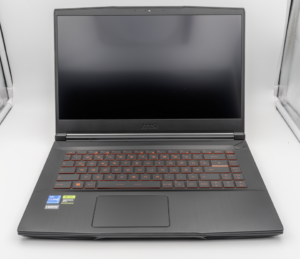
MSI Titan 18 HX A14V (Core i9-14900HX, RTX 4090)

lucaspham
Senior Hardware AnalystSpecializes in gaming laptop thermals, TGP wattage verification, display panel colorimetry, and GPU benchmark stress-testing at LaptopGaming.net.